
Blog
SSD vs HDD: Which Storage Is Best for You in 2026?

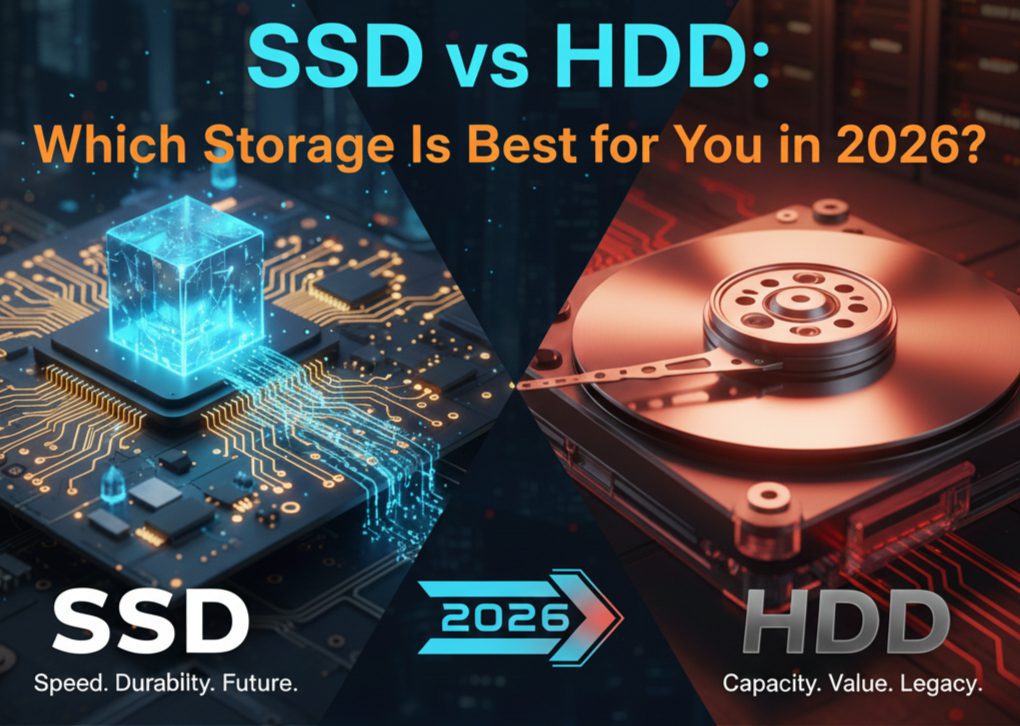
The answer isn’t as simple as “SSD is faster” or “HDD is cheaper.” Your decision affects everything from boot speed and gaming performance to storage capacity and long-term value. If you pick the wrong option, your system could feel slow, outdated, or unnecessarily expensive. In this guide, we break down the real differences between SSD vs HDD, compare performance, cost, and use cases, and help you choose the best storage based on your needs. In 2026, storage is no longer a secondary hardware decision; it is a core performance factor that directly impacts how fast and efficiently a system runs. From real-world usage patterns across modern computing environments, it is clear that storage technology influences everything from boot speed and application responsiveness to gaming performance and professional workflows. Whether you are using a laptop for office tasks, editing high-resolution 4K or 8K videos, playing modern games, or running AI-powered applications, your choice between SSD (Solid State Drive) and HDD (Hard Disk Drive) determines how smooth your experience will be.
Understanding Storage Basics
Before we compare SSDs and HDDs head-to-head, it helps to understand what they actually are. Think of this as learning the personality of each storage type—how they behave, what they’re good at, and where they struggle.
What Is a Hard Disk Drive (HDD)?
A Hard Disk Drive (HDD) is a traditional storage device that uses spinning magnetic disks (platters) and a mechanical arm to read and write data. Because it has moving parts, it is slower compared to modern storage. Every file must be physically located on the disk, which increases loading and boot times. However, HDDs are popular for one major reason: low-cost, large storage. In 2026, they are still widely used for:
- Backups
- Media storage
- Large file archives
They are also considered reliable for long-term bulk data storage, especially in budget systems.
What Is a Solid State Drive (SSD)?
A Solid State Drive (SSD) is a modern storage device that uses flash memory chips instead of moving parts. This allows data to be accessed almost instantly, making SSDs much faster than HDDs.
SSDs improve overall system performance, including:
- Fast boot times
- Quick app loading
- Smooth multitasking
In 2026, NVMe SSDs deliver extremely high speeds and are widely used in modern computers.
Although SSDs cost more per GB than HDDs, they offer:
- Higher speed
- Better durability
- Shock resistance (no moving parts)
That’s why SSDs are now the standard storage for most laptops and PCs.
Why SSD vs HDD Matters in 2026
In 2026, modern operating systems, applications, and games are increasingly designed to take advantage of high-speed storage technologies. As a result, storage performance has become a critical factor that directly influences overall system efficiency and user experience. It affects key areas such as system boot time, application loading speed, game asset streaming, multitasking performance, and AI-driven background processing. In simple terms, a slow storage device can become a major bottleneck, limiting the performance of even a high-end processor and large RAM configuration.
Boot Times and System Responsiveness
Boot time is one of the biggest differences between HDD and SSD. An HDD usually takes 45 to 60 seconds or more to start a system, while an SSD can boot in 5 to 10 seconds. Beyond booting, SSDs also make the system feel much faster in daily use. Apps open quickly, files load instantly, and multitasking feels smooth. HDDs, on the other hand, often feel slow due to mechanical movement. In 2026, this difference matters even more because modern systems rely on fast storage for AI tasks, background syncing, and multitasking performance.
Read and Write Speeds Explained
Read speed is how fast data is accessed, and write speed is how fast it is saved. HDDs typically offer 100–200 MB/s, while SSDs are much faster, with NVMe drives reaching thousands of MB/s. This affects real tasks like file transfers, software installation, and video exporting. SSDs complete these tasks in seconds, while HDDs take much longer. For everyday apps and operating systems, SSDs clearly deliver better performance and responsiveness.
Real-World Performance Scenarios
- Gaming: Faster level loads, smoother asset streaming, fewer in-game stutters
- Professional work: Quicker renders, faster imports, less waiting
- Everyday use: Snappier browsing, instant app launches, smoother multitasking
Speed isn’t about bragging rights anymore. In 2026, it’s about keeping up with modern software expectations.
Storage Capacity: How Much Space Do You Really Need?
While speed is important, storage capacity is equally essential because even the fastest drive becomes useless if you constantly run out of space. This is where HDDs remain relevant, especially for users who need large storage at a lower cost. Storage requirements vary depending on usage. A basic user, such as a student, may only need around 256GB for documents, browsing, and streaming, while gamers, content creators, and professionals can easily require multiple terabytes for games, videos, and large project files. Choosing the right capacity depends on your actual usage pattern, not just performance expectations.
SSD Capacity Growth in 2026
SSDs have come a long way in terms of capacity. What used to be expensive luxury sizes are now mainstream. 1 TB SSDs are common, 2 TB is affordable, and larger capacities are becoming more accessible each year. However, SSD prices still rise steeply as capacity increases. While they’re perfect for active data, operating systems, apps, and games, using SSDs alone for massive storage can still be costly.
SSD vs HDD: Key Differences at a Glance
This is where the decision often becomes clear:
| Feature | SSD | HDD |
|---|---|---|
| Speed | Very fast | Slow |
| Price | Expensive | Affordable |
| Durability | High (no moving parts) | Lower (mechanical) |
| Noise | Silent | Noisy |
| Best Use | OS, gaming, apps | Storage, backups |
In 2026, the smartest approach for many users is balance rather than extremes.
Durability and Reliability
Storage reliability is not only about performance, it is also about data safety and long-term trust, since important files, business data, and personal memories depend on it.
Mechanical vs Non-Mechanical Storage
HDDs use spinning disks and mechanical read/write heads, making them more vulnerable to damage from shocks, drops, and physical movement. Even small impacts can cause data loss, especially in portable devices like laptops. SSDs, on the other hand, use flash memory with no moving parts, which makes them significantly more durable and resistant to physical damage. This makes SSDs a more reliable choice for mobile and everyday use.
Lifespan and Failure Behavior
HDDs are more likely to fail due to mechanical wear over time. SSDs have limited write cycles, but modern SSDs in 2026 are designed for long operational lifespans under normal usage, often lasting many years in consumer systems.
Data Safety Considerations
No storage technology is completely risk-free. Regular backups remain essential. However, SSDs generally provide more stable day-to-day performance, while HDDs may sometimes allow partial recovery after failure, depending on the issue.
Power Consumption and Energy Efficiency
Storage type directly impacts battery life, heat generation, and energy usage, especially in modern computing environments.
- Impact on Laptops: SSDs consume significantly less power than HDDs, resulting in longer battery life and improved portability. This is one of the key reasons SSDs are standard in modern laptops and ultrabooks.
- Desktop and Server Efficiency: In desktops, SSDs reduce overall system power usage and heat output. In server environments, this leads to improved energy efficiency and lower operational costs over time.
- Real-World Benefit: For users who prioritize mobility and efficiency, SSDs provide a clear advantage through cooler operation, lower power draw, and better system endurance.
Noise, Heat, and Physical Design
Beyond speed, storage technology also affects comfort, acoustics, and system design flexibility. HDDs generate noise due to spinning platters and mechanical movement. This can include humming, clicking, or vibration during heavy usage, which may be noticeable in quiet environments. SSDs operate silently because they have no moving parts, creating a quieter and more comfortable user experience. In terms of heat, HDDs generate more warmth due to mechanical friction, while SSDs remain cooler and contribute to better thermal efficiency in compact systems. From a design perspective, SSDs support modern form factors like M.2 and NVMe, enabling thinner, lighter, and more efficient devices. HDDs, being physically larger, limit design flexibility in modern hardware.
Gaming Experience: SSD vs HDD in Modern Games
In 2026, gaming performance is strongly influenced by storage speed, especially in large and open-world titles. SSDs significantly reduce loading times and improve real-time asset streaming, resulting in smoother gameplay, fewer stutters, and faster level transitions. Many modern games are optimized specifically for SSD performance. Some newer titles may even require SSDs for proper functionality due to advanced streaming systems. HDDs can still run older or less demanding games, but they may struggle with long loading times and occasional performance bottlenecks in modern releases.
Creative Professionals and Workloads
For professionals working with large files, storage speed directly impacts productivity. Video editors benefit from faster rendering, smoother timeline playback, and quicker export times when using SSDs. Photographers experience faster file imports, previews, and batch processing. In 2026, AI-powered creative tools will also rely heavily on fast storage for efficient data handling. While HDDs are still useful for long-term archiving, SSDs are essential for active production workflows where speed and responsiveness matter.
Everyday Users: Browsing, Office Work, and Multimedia
For general users, storage speed significantly affects the day-to-day computing experience. SSDs provide instant application launches, faster web browsing, and smooth multitasking. This creates a noticeably more responsive system, even on mid-range hardware. HDD-based systems, while still functional, often feel slower due to mechanical limitations. In many cases, perceived system “slowness” is caused more by storage type than by CPU or RAM.
Budget Considerations in 2026
Cost remains a key factor in storage decisions. HDDs offer a lower cost per gigabyte, making them suitable for users who need large storage on a limited budget. SSDs, while more expensive per GB, have become more affordable and are widely accessible in smaller capacities. A common and practical approach is a hybrid setup, where SSDs are used for the operating system and applications, while HDDs handle bulk storage. This combination balances performance and cost effectively.
Hybrid Solutions: Best of Both Worlds
Many modern systems use a hybrid storage strategy to maximize efficiency. SSDs handle operating systems and frequently used software for speed, while HDDs store large files, backups, and archives. External storage solutions and cloud storage further enhance flexibility by separating active and passive data usage.
Security and Data Recovery
Storage security is an important consideration in 2026. SSDs often support hardware-level encryption, improving data protection. However, SSD data recovery after failure is more difficult. HDDs may allow limited recovery in some failure scenarios, but they are generally less secure against physical damage. Regardless of storage type, a backup strategy (local + cloud) is essential for data protection.
Environmental Impact
SSDs are more energy-efficient, producing less heat and consuming less power over time. This reduces overall environmental impact compared to HDDs. HDDs contribute more to energy consumption and electronic waste due to mechanical wear and replacement cycles. As sustainability becomes more important in technology, SSDs are increasingly preferred for their efficiency advantages.
Future of Storage Beyond 2026
Storage technology continues to evolve rapidly, with SSDs leading innovation in speed, durability, and capacity improvements. HDDs are gradually shifting toward specialized use cases such as bulk data storage and archival systems, while SSDs dominate mainstream computing. The long-term trend clearly shows SSDs becoming the standard storage solution across consumer and professional devices.
Where to Choose the Right SSD and HDD?
Choosing the right SSD vs HDD depends on your performance needs and budget. SSDs are best for speed and system performance, while HDDs are ideal for large storage and backups. At ProDisk IT, you can easily find both SSD and HDD options for different use cases, including gaming, professional work, and everyday computing.
At ProDisk IT, you can find storage solutions suitable for:
- High-performance SSDs for gaming and modern applications
- NVMe SSDs for ultra-fast system performance
- HDDs for backups, archives, and large data storage
- Hybrid setups for balanced speed and capacity
Making the Smart Storage Choice in 2026
The SSD vs HDD comparison is not about which one is better overall, but about choosing the right storage for your specific needs. SSDs deliver superior speed, reliability, and efficiency, making them ideal for modern performance-driven systems. HDDs, on the other hand, remain a cost-effective solution for large storage, backups, and long-term data storage. In 2026, the most practical approach is a balanced setup, using an SSD for performance-critical tasks and an HDD for bulk storage. This combination ensures a fast, reliable, and budget-friendly system.
Is SSD better than HDD in 2026?
Yes, SSD is better than HDD for speed, reliability, and overall performance.
Which is better for gaming, SSD or HDD?
SSD is much better for gaming due to faster load times and smoother gameplay.
Can I use SSD and HDD together?
Yes, combining SSD and HDD gives the best balance of speed and storage.
Is HDD still worth buying?
Yes, HDD is still useful for storing large amounts of data at a lower cost.