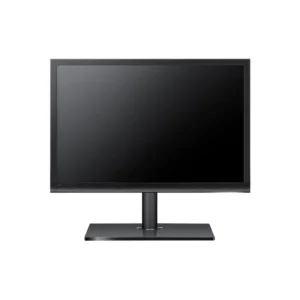
HP Z24x DreamColor Monitor – 24″ IPS LED with USB, HDMI, DVI Ports
The HP Z24x DreamColor Monitor offers a 24″ IPS LED display with precise color accuracy (99% Adobe RGB), USB hub, HDMI and DVI connectivity, and ergonomic adjustments. Perfect for creative professionals working in photo, video, or design who need color-accurate visuals and connectivity flexibility.
£ 596
- Free shipping within the UK (T&C)
- Delivery available via DHL, Bank Transfer,FedEx & UPSVisa
- Mastercard, AMEX, Wire are accepted
Key Specifications
- Model: HP Z24x DreamColor Monitor (E9Q82A4)
- Screen Size: 24″ Full HD (1920 × 1200) IPS LED
- Color Space: 99% Adobe RGB, 100% sRGB
- Color Depth: 10-bit (1.07 billion colors)
- Brightness: 300 cd/m²
- Contrast Ratio: 1000:1 (static)
- Response Time: 6 ms gray-to-gray
- Viewing Angles: 178° horizontal / vertical
- Inputs: HDMI, DVI-D, DisplayPort
- USB Hub: 2 downstream, 1 upstream USB 3.0
- Stand Adjustments: Height (150 mm), tilt, swivel, pivot
- Mounting: VESA 100 × 100 mm compatible
- Finish: Matte black panel
- Power: Energy-efficient design
Why Choose HP Z24x Dream Color Monitor
- Delivers exceptional color accuracy with 99% Adobe RGB and 10-bit color—perfect for professionals in photography, video, and design.
- Includes factory color calibration and color management tools for consistent, precise color output right out of the box.
- The IPS panel ensures wide viewing angles and stable colors—ideal for collaborative workflows.
- Multiple connectivity options (HDMI, DVI, DisplayPort) allow seamless integration with various devices.
- Ergonomic stand provides full adjustability for comfortable, extended use.
- Professional-grade USB hub and matte panel help enhance productivity and reduce glare.
Compatibility
- Supports Windows, macOS, and Linux operating systems.
- Works with graphic workstations, editors, and desktops via DisplayPort, HDMI, or DVI.
- Compatible with color grading and editing software like Adobe Creative Cloud.
- VESA mount enabled for multi-display setups or wall installation.
Installation
- Attach the monitor using its ergonomic stand or a VESA mount (100 × 100 mm).
- Connect via HDMI, DVI, or DisplayPort based on your device’s output.
- Plug in USB upstream to enable the onboard USB 3.0 hub.
- Power on and use the OSD or HP calibration software to confirm color setup.
- Adjust height, tilt, swivel, or rotate for perfect viewing alignment.
- Begin working with accurate, consistent color performance.