Free Delivery within the UK (T & C) Apply

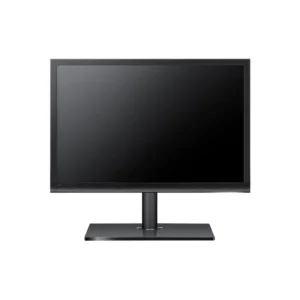
HP P24v G4 Monitor – 23.8″ FHD IPS LED with HDMI & VGA

The HP P24v G4 Monitor features a 23.8″ Full HD (1920×1080) IPS panel with LED backlighting. It includes HDMI and VGA inputs, built-in speakers, and a slim, modern design. Ideal for home offices, remote learning, business productivity, and multimedia consumption, delivering clear visuals and reliable everyday performance.


£ 176

- +

Key Specifications

  • Model: HP P24v G4 Monitor (9TT78AT)
  • Screen Size: 23.8″ Full HD (1920 × 1080) IPS LED
  • Brightness: 250 cd/m²
  • Contrast Ratio: 1000:1 (static)
  • Response Time: 7 ms (gray-to-gray)
  • Viewing Angles: 178° horizontal / 178° vertical
  • Color Support: 16.7M colors
  • Inputs: HDMI, VGA
  • Speakers: Built-in audio output
  • Bezel: Slim‑edge design
  • Mounting: VESA 100 × 100 mm compatible
  • Stand Adjustments: Tilt‑only
  • Power Usage: Energy efficient operation

Why Choose HP P24v G4 Monitor

  • Offers crisp Full HD 1920×1080 resolution on a high-quality IPS panel for sharp text and vivid visuals.
  • Built-in speakers and dual inputs (HDMI + VGA) cater to both modern and legacy devices—no extra equipment needed.
  • Slim-edge bezel creates a sleek appearance and supports side-by-side multi-monitor setups.
  • Suitable for everyday tasks—office work, remote meetings, watching videos, and light design duties.
  • Energy-efficient design helps reduce power consumption and cut costs in long-term use.

Compatibility

  • Compatible with Windows, macOS, Linux, and ChromeOS systems.
  • Connects seamlessly to laptops, desktops, thin clients, streaming devices, and media players using HDMI or VGA.
  • VESA compatibility enables wall-mount or dual-monitor arm setups.

Installation

  1. Attach stand or a compatible VESA mount (100 × 100 mm).
  2. Connect video: HDMI for digital quality or VGA for older devices.
  3. Plug in power cable and turn on the monitor.
  4. Use on-screen controls to adjust brightness, color, and input source.
  5. Tilt the screen for optimal viewing comfort.
  6. Enjoy crisp visuals for work, learning, or entertainment
Scroll to Top

Request a Quote