Free Delivery within the UK (T & C) Apply

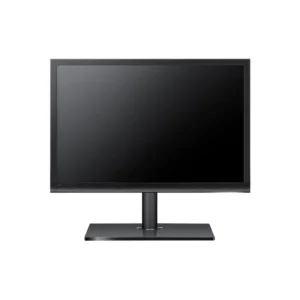
HP Z24x DreamColor Monitor – 24″ IPS LED with USB, HDMI, DVI Ports

The HP Z24x DreamColor Monitor offers a 24″ IPS LED display with precise color accuracy (99% Adobe RGB), USB hub, HDMI and DVI connectivity, and ergonomic adjustments. Perfect for creative professionals working in photo, video, or design who need color-accurate visuals and connectivity flexibility.


£ 596

- +

Key Specifications

  • Model: HP Z24x DreamColor Monitor (E9Q82A4)
  • Screen Size: 24″ Full HD (1920 × 1200) IPS LED
  • Color Space: 99% Adobe RGB, 100% sRGB
  • Color Depth: 10-bit (1.07 billion colors)
  • Brightness: 300 cd/m²
  • Contrast Ratio: 1000:1 (static)
  • Response Time: 6 ms gray-to-gray
  • Viewing Angles: 178° horizontal / vertical
  • Inputs: HDMI, DVI-D, DisplayPort
  • USB Hub: 2 downstream, 1 upstream USB 3.0
  • Stand Adjustments: Height (150 mm), tilt, swivel, pivot
  • Mounting: VESA 100 × 100 mm compatible
  • Finish: Matte black panel
  • Power: Energy-efficient design

Why Choose HP Z24x Dream Color Monitor

  • Delivers exceptional color accuracy with 99% Adobe RGB and 10-bit color—perfect for professionals in photography, video, and design.
  • Includes factory color calibration and color management tools for consistent, precise color output right out of the box.
  • The IPS panel ensures wide viewing angles and stable colors—ideal for collaborative workflows.
  • Multiple connectivity options (HDMI, DVI, DisplayPort) allow seamless integration with various devices.
  • Ergonomic stand provides full adjustability for comfortable, extended use.
  • Professional-grade USB hub and matte panel help enhance productivity and reduce glare.

Compatibility

  • Supports Windows, macOS, and Linux operating systems.
  • Works with graphic workstations, editors, and desktops via DisplayPort, HDMI, or DVI.
  • Compatible with color grading and editing software like Adobe Creative Cloud.
  • VESA mount enabled for multi-display setups or wall installation.

Installation

  1. Attach the monitor using its ergonomic stand or a VESA mount (100 × 100 mm).
  2. Connect via HDMI, DVI, or DisplayPort based on your device’s output.
  3. Plug in USB upstream to enable the onboard USB 3.0 hub.
  4. Power on and use the OSD or HP calibration software to confirm color setup.
  5. Adjust height, tilt, swivel, or rotate for perfect viewing alignment.
  6. Begin working with accurate, consistent color performance.
Scroll to Top

Request a Quote